CHEXX Mobile, PWA and Telegram Access
Searching for a CHEXX app can be confusing because the platform uses several access routes rather than relying on a conventional store download. CHEXX works through its mobile website, an installable Progressive Web App (PWA), Telegram access and desktop installation options. The practical mobile choice for most users is either the browser version or the PWA added to the home screen.
The PWA is the closest match to a normal app experience: it launches from an icon, keeps the same CHEXX account and provides access to casino games, sports betting and the crypto cashier without needing a separate Google Play or Apple App Store listing. That distinction matters in Nigeria, where a phone may be the main device for browsing, payments and betting rather than a secondary screen.
The full picture is in our CHEXX review for Nigeria.
What CHEXX means by its app options
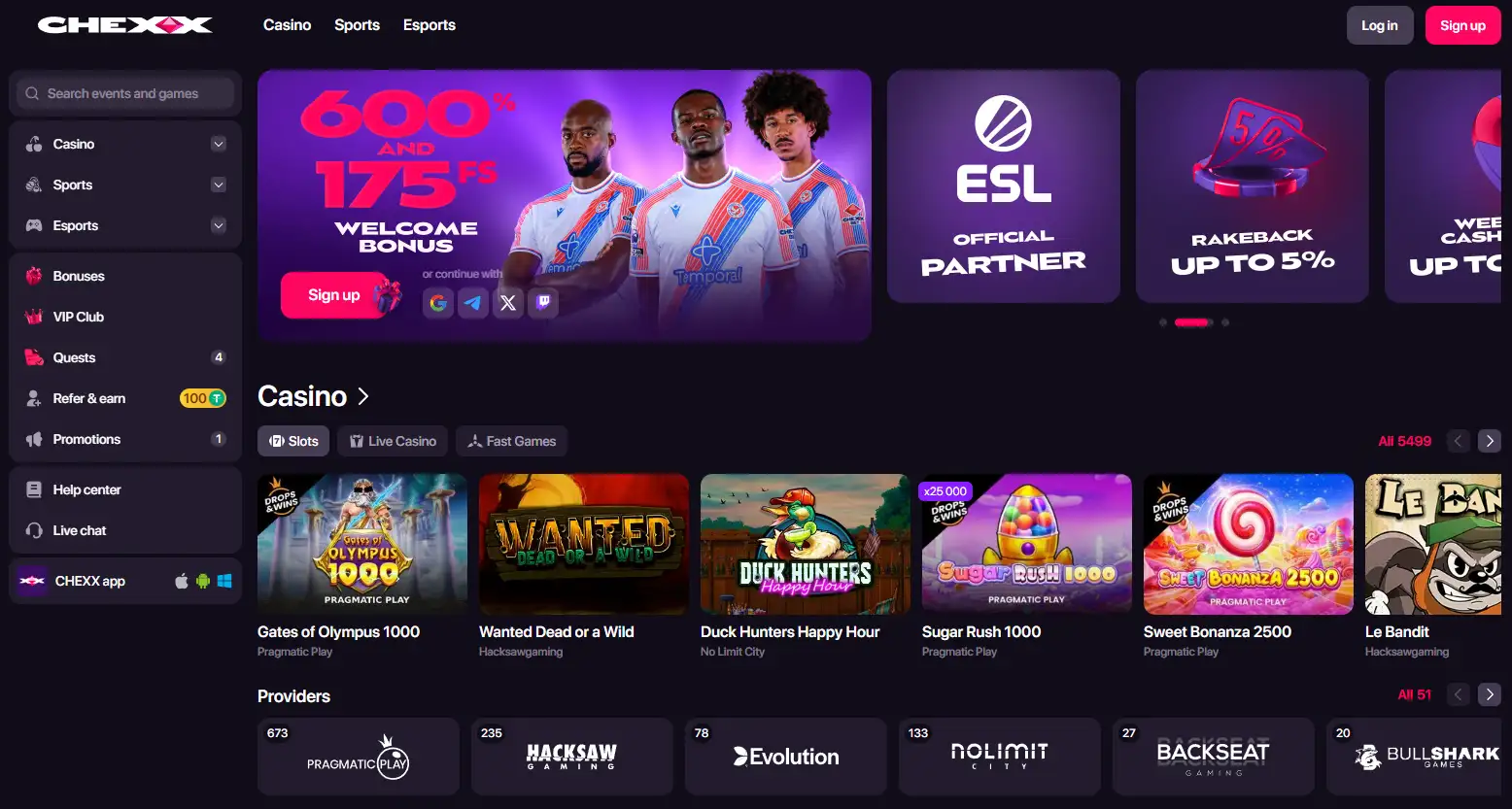
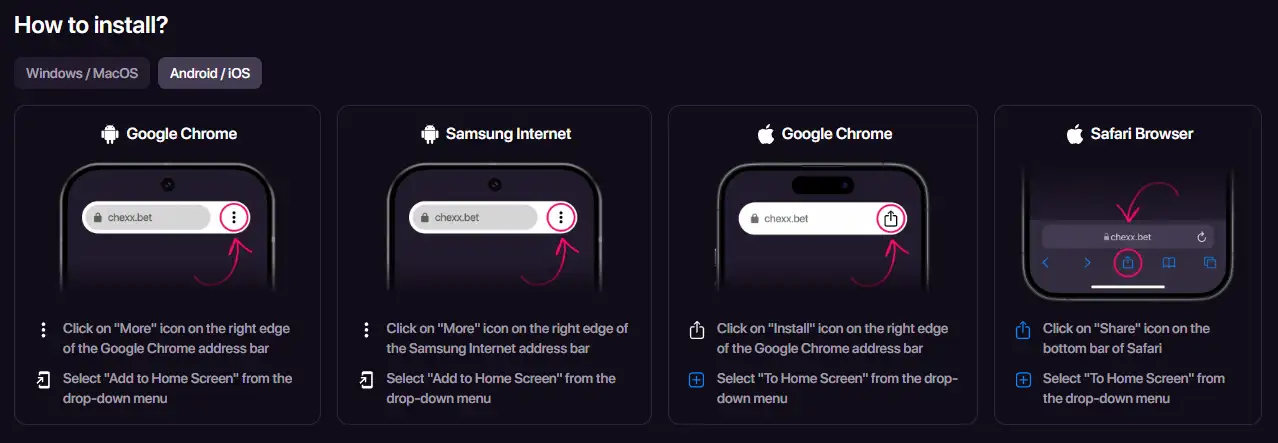
CHEXX currently presents Android, iOS, Telegram, MacOS and Windows access under its app navigation, but the mobile install route is based on the web platform rather than a conventional native-store package. Its PWA page provides installation instructions for Chrome, Safari and Samsung Internet and explains how to add CHEXX to a home screen or desktop.
That gives CHEXX four useful access patterns. The ordinary website requires no installation. The PWA creates an app-like shortcut and standalone launch experience. Telegram provides another route for users who already spend time inside the messaging app. Desktop installation gives Windows and Mac users a quicker launch path from a computer.
| Access route | Best for | What to expect |
|---|---|---|
| Mobile website | Occasional use | Open CHEXX in a supported browser and sign in normally |
| PWA | Frequent phone use | Home-screen icon with the same web-based account experience |
| Telegram | Telegram-first users | Access through CHEXX’s Telegram environment |
| Desktop install | Regular laptop or PC use | Quicker launch from Windows or MacOS |
The PWA is the most app-like option on a phone
A Progressive Web App is still built from the web service, but it can sit on the phone’s home screen and open more like an installed application. CHEXX’s current PWA instructions cover Google Chrome on Android and iOS, Safari on iOS and MacOS, Samsung Internet on Android, and Chrome on Windows and MacOS.
On Android, the general pattern is to open CHEXX in Chrome or Samsung Internet and choose the browser option to add or install it on the home screen. On iPhone, Safari uses the Share menu and the home-screen option. Browser wording can change between versions, so follow the install control actually shown by the device rather than looking for a store listing.
The useful part is convenience rather than a different account. You are not opening a separate CHEXX product with a separate balance. The same account can move between the PWA, browser and other supported access routes.
Why this setup can suit a mobile-first user in Nigeria
A PWA removes one small but repetitive step: opening a browser, finding the site and navigating back to the platform each time. For a user who primarily handles online activity on a phone, a home-screen shortcut makes the casino, sportsbook and account areas easier to reach without consuming the workflow of an app-store install.
It also keeps the platform’s products together. CHEXX combines casino games, sports and esports with a crypto-based cashier, so mobile access is not a separate stripped-down casino. A user can move from the CHEXX games to the CHEXX sportsbook and then to CHEXX payments from the same account environment.
The tradeoff is that users who specifically want a conventional native app distributed through Google Play or the Apple App Store may prefer a different model. CHEXX’s current mobile proposition is centered on browser and PWA access instead.
Installing CHEXX without confusing the route
The safest approach is to start from CHEXX’s own PWA page or the install control shown on the CHEXX website. Do not search random download sites for an APK or unofficial iPhone package simply because the platform is described as an “app” elsewhere.
- Open the CHEXX website in a supported browser.
- Sign in only after checking that you are on the intended CHEXX domain.
- Open the browser’s install, share or add-to-home-screen control.
- Confirm the home-screen or desktop installation.
- Launch CHEXX from the new icon and confirm that it opens the same account environment.
This method avoids the biggest misunderstanding around the CHEXX app query: an app-like icon does not mean a separately distributed native mobile application.
Telegram is an alternative access layer, not a second casino account
CHEXX also promotes Telegram access, which can be attractive to users who already use Telegram throughout the day. The important distinction is the same as with the PWA: Telegram acts as another way into the CHEXX service rather than creating a different game catalogue or independent balance.
Telegram access can reduce switching between apps for users who already keep the messenger open, but it also makes account hygiene more important. Protect the Telegram account itself with the security controls available to you, and avoid signing in through links forwarded by unknown contacts or unofficial groups.
If your priority is a full-screen casino or sportsbook session, the PWA or browser may feel more direct. If your priority is quick access inside a tool you already use constantly, Telegram can be the more natural route.
Mobile casino and sportsbook navigation stay connected
CHEXX’s mobile site exposes both casino and sports products. That matters because users do not need different installs for slots, live casino and sports betting. The same access layer can serve all of them.
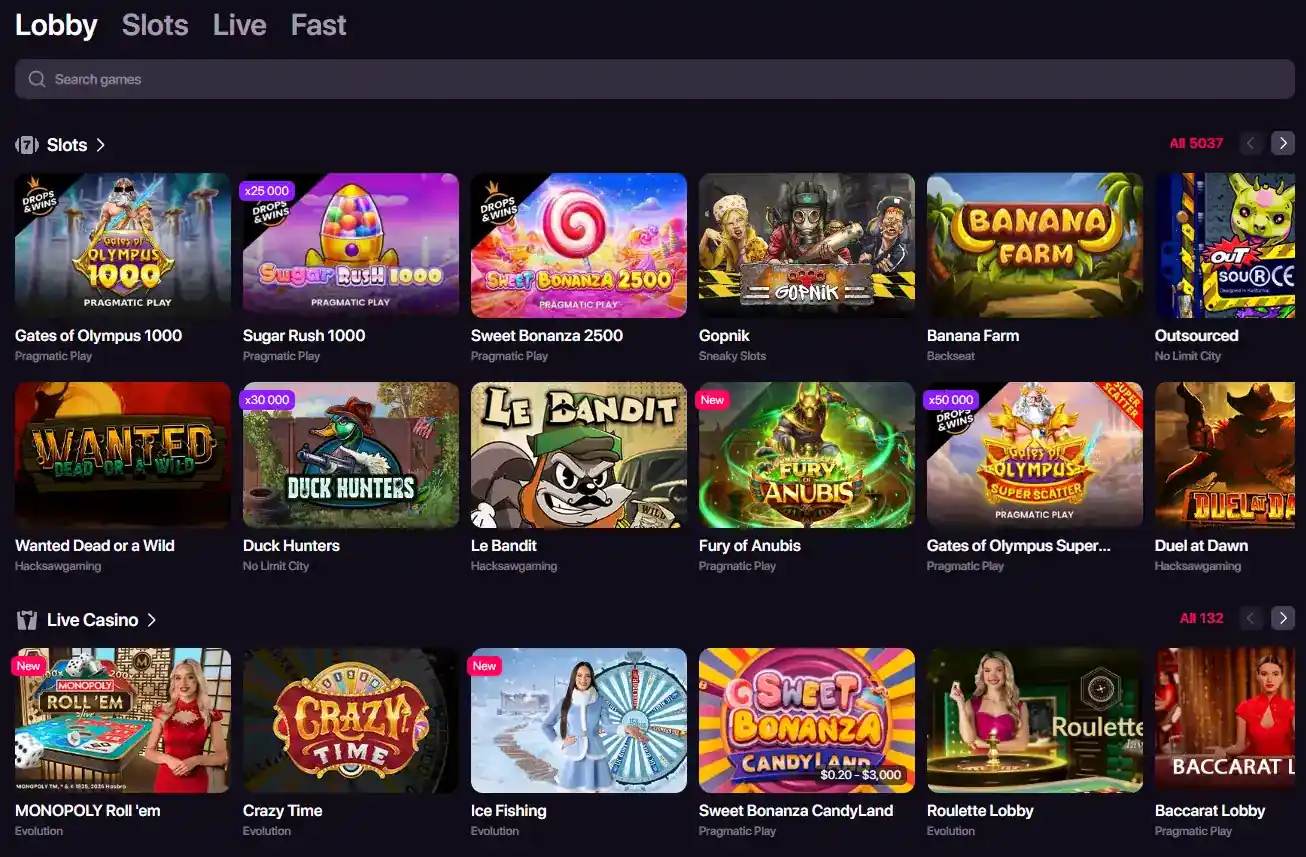
For casino users, the main mobile concern is discoverability: filters, provider lists and game categories need to remain usable on a smaller screen. CHEXX’s catalogue is large enough that search and category navigation are more important than scrolling through a long homepage. The games guide explains the catalogue structure in more detail.
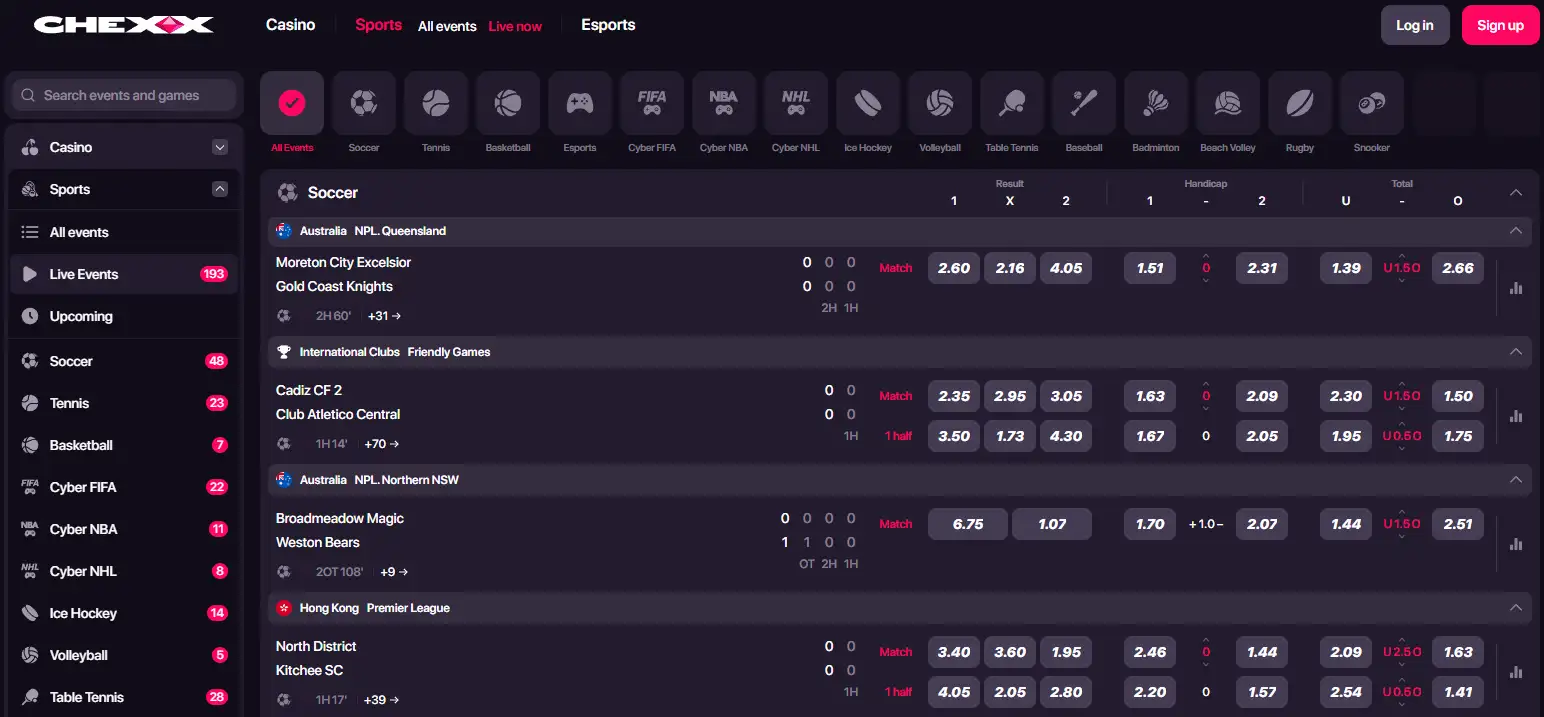
Sports users have a similar issue with market density. A phone can display fewer events and betting markets at once than a desktop screen, so moving between sport categories and event pages becomes more important. The sports betting guide covers the product rather than repeating it here.
The cashier remains crypto-focused on mobile
Mobile access does not change the underlying payment model. CHEXX supports crypto assets including USDT, USDC, SOL, ETH, BNB, TRX, GRAM, POL, BTC, LTC and TRUMP. Nigeria users should not interpret a mobile-friendly cashier as evidence of direct NGN bank transfer, OPay, PalmPay or Moniepoint support.
This distinction is especially relevant on a phone, where a user may switch between CHEXX and a crypto wallet during a deposit or withdrawal. Always match the asset and blockchain network before sending. The CHEXX payments page and its crypto-deposit guide cover the route-level checks in more detail.
Do not judge mobile performance by the word “app” alone
A native app, PWA and ordinary mobile site can all feel fast or slow depending on the device, connection and browser. CHEXX markets its PWA around quick access and notifications, but it is better to treat real performance as device-dependent unless you have tested your own phone and network.
Users on limited storage may actually prefer the web-based model because it avoids a large conventional app package. Users who want offline functions or deep operating-system integration may find a PWA less compelling. For CHEXX specifically, the central benefit is access convenience, not an entirely separate mobile product.

Keep the shortcut secure like any other account access point
Adding CHEXX to a home screen makes access faster, which also means anyone who can unlock the device may be one step closer to the account. Use the phone’s screen lock, avoid saving credentials on shared devices and sign out when a device is not exclusively yours. If the browser offers password storage, decide whether that convenience matches the security of the device itself.
Notifications deserve the same judgement. PWA notifications can be useful for account activity or platform updates, but a lock-screen preview can reveal information to someone holding the phone. Adjust notification privacy at operating-system level if you do not want betting-related alerts visible before the device is unlocked.
When moving between CHEXX and a crypto wallet, verify the destination rather than relying on copied text that has been sitting in the clipboard. Mobile malware and simple copy-paste mistakes can both turn a convenient workflow into an expensive error.
Which CHEXX access route makes the most sense?
Use the mobile website if you visit occasionally and do not want another icon. Use the PWA if CHEXX is something you expect to open often from a phone. Telegram is most useful when your daily workflow already revolves around Telegram, while the desktop option is more relevant if you regularly bet or browse games from a laptop or PC.
For most Nigeria users asking whether CHEXX has an app, the key answer is therefore simple: you can get an app-like CHEXX experience without a conventional native store download. The PWA is the clearest fit for frequent mobile use because it keeps casino, sportsbook and crypto account access behind one home-screen shortcut.
For the broader strengths, limitations and Nigeria context, return to the CHEXX Nigeria review.
An account comes first: registration.
 Lollipop Drop MultiMaxBulletproof Games
 Sugar LandFelix Gaming
 Mystic Fortune DeluxeHabanero
 Strength of HerculesHacksaw Gaming
 A Fistful of CoinsZeus Play
 Sevens HighRoyal Slot Gaming (RSG)
 Fuzzy WuzzyPoggiPlay
 Epic JourneyRed Tiger Gaming
 Trickstar SpinsYggdrasil Gaming
 Hercules Power WildFugaso
 40 Super HotEGT Digital
 Sizzling Hot DeluxeNovomatic
 Blackjack Lucky LadiesSide Bet
 Vegas Strip BlackjackClassic
 Classic BlackjackClassic
 American BlackjackClassic
 European BlackjackMultihand
 Perfect Pairs BlackjackSide Bet
 Multihand BlackjackMultihand
 Vegas Downtown Blackjack GoldGold Series
 VIP American BlackjackVIP
 Single Deck Blackjack GoldSingle Deck
 Ultimate Blackjack with RachaelLive-style
 Premier Blackjack with Side BetsSide Bet
 Turbo BlackjackFast-play
 Blackjack Surrender OriginsSurrender
 Quantum Blackjack PlusMultiplier
 RouletteRelax Gaming
 Roca Riches RouletteThemed
 Lucky RouletteClassic
 Mini Roulette 3DMini
 Quantum RouletteMultiplier
 Immortal Romance RouletteThemed
 Double Ball American RouletteDouble Ball
 European RouletteClassic
 Auto RouletteSwitch Studios
 Who Wants to Be a Millionaire RouletteThemed
 American RouletteClassic
 French RouletteNetEnt
 Gold RouletteGold Series
 Monopoly Roulette TycoonThemed
Published by the Chexx Casino team.